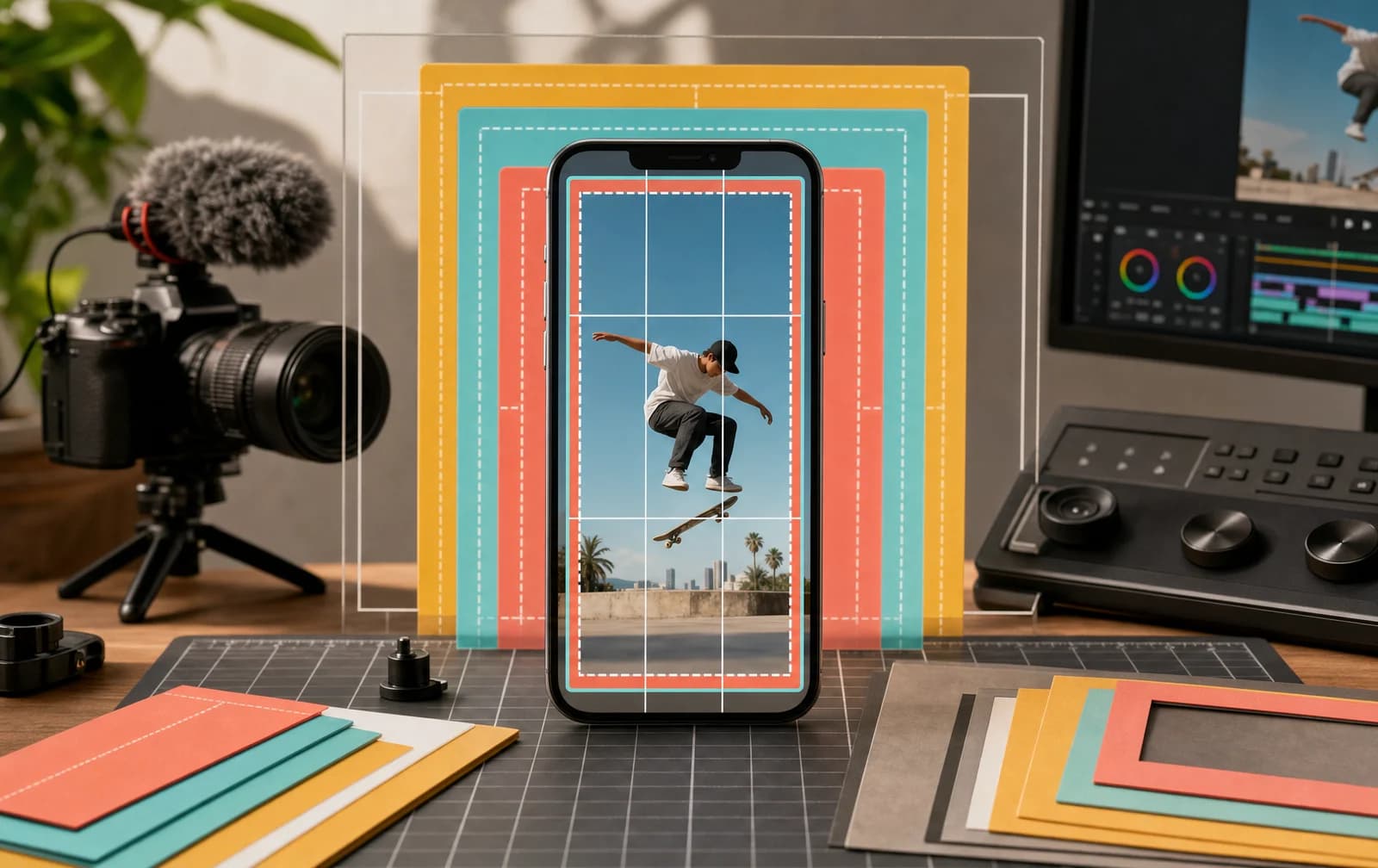
For a phone-first TikTok video, use a 9:16 vertical aspect ratio and a practical editing canvas of 1080 x 1920 pixels. TikTok for Business creative guidance recommends full-screen 9:16 video and at least 720p resolution. The 1080 x 1920 canvas is a production recommendation, not a claim that every TikTok upload surface requires those exact dimensions.
Keeping official guidance, practical presets and variable app limits separate makes a TikTok video size guide more useful and less likely to become outdated.
TikTok video size at a glance
| Setting | Practical organic-video choice | Source boundary |
|---|---|---|
| Aspect ratio | 9:16 portrait | TikTok creative guidance recommends full-screen 9:16 |
| Dimensions | 1080 x 1920 px | Practical 9:16 editing canvas |
| Resolution | 1080p source when available | TikTok creative guidance says at least 720p |
| Orientation | Vertical | Landscape can upload on some surfaces but uses less phone screen |
| File format | Use a modern format accepted by the current app | Exact options and limits can vary by device, surface and version |
| Length | Match the viewer task | No universal organic best length |
TikTok's business creative materials recommend 9:16 and 720p or higher. This is creative guidance, not a complete specification for every organic upload path. Always confirm current limits in the app when a precise file cap, duration or format matters.
Why 9:16 is the safest TikTok canvas
A 9:16 video is shaped like a phone screen in portrait orientation. It uses the available viewing area more effectively than a horizontal clip placed inside the same vertical experience. That gives demonstrations, faces, captions and products more room to be understood.
The common 1080 x 1920 preset is exactly 9:16:
- Width: 1080 pixels.
- Height: 1920 pixels.
- Orientation: portrait.
- Ratio: 9 units wide by 16 units high.
This preset also travels well between many phone cameras and editing apps. It gives creators enough resolution for a clean master without assuming that uploading a larger file automatically improves the final post.
A 720 x 1280 file is also 9:16 and meets the 720p level referenced in TikTok's creative guidance. If your original is already low quality, scaling it to 1080 x 1920 only creates more pixels around the same limited detail. Start with the strongest available source and minimize unnecessary compression.
Square or landscape footage can still be used creatively. Reframe it into a vertical project rather than allowing the editor to choose an accidental crop. You may zoom into the important action, place supporting visuals above and below or retain horizontal composition when the wide view is essential. The right choice is the one that preserves the subject without wasting the screen.
Keep text and subjects clear of interface overlays
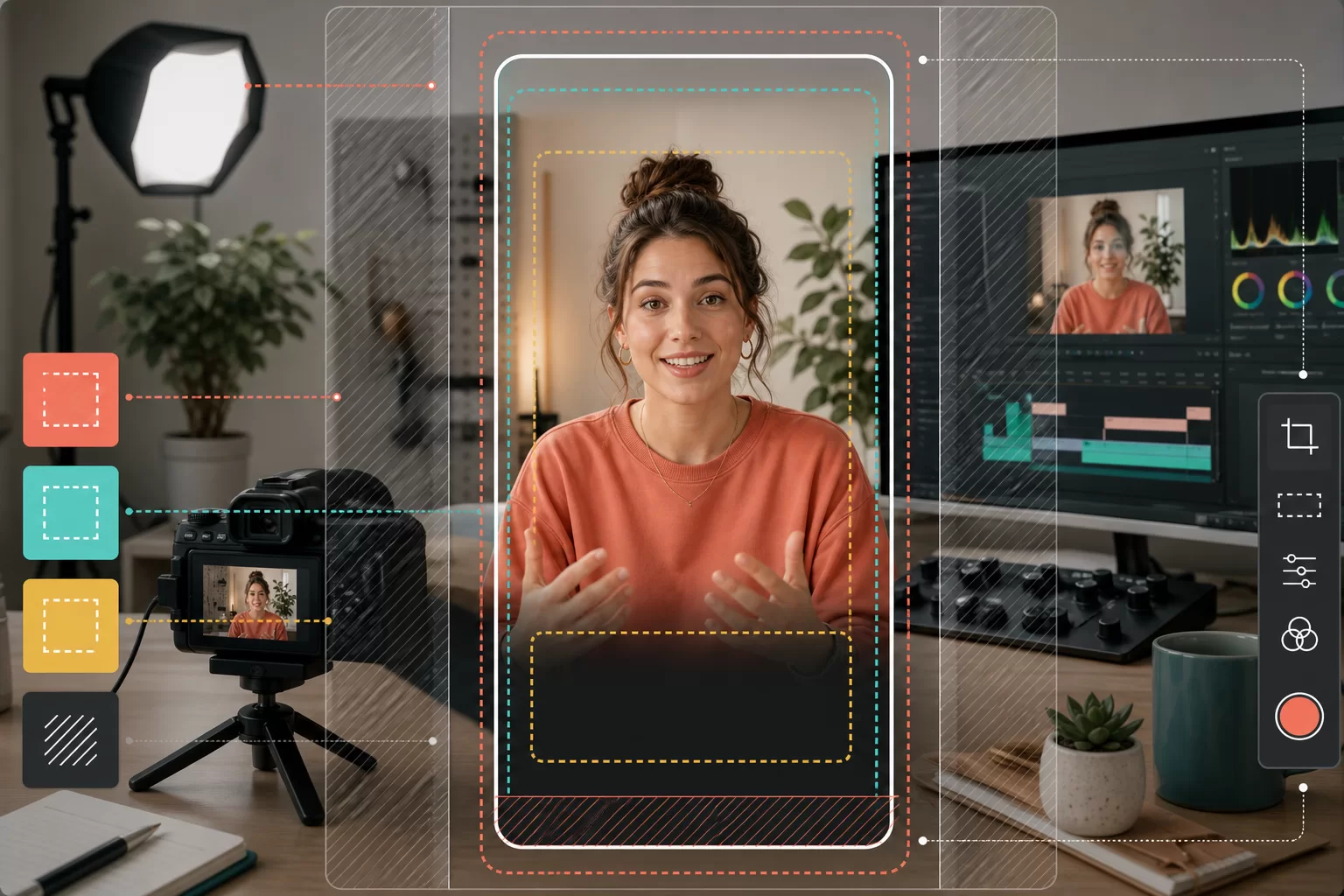
TikTok places interactive elements over the video. Captions, account information, action controls and other interface elements can occupy edge areas, and the presentation may vary by app version or placement.
Avoid relying on a single permanent safe-zone diagram. Use composition rules that survive interface changes:
- Keep the main face, product or action away from extreme edges.
- Leave extra room at the bottom for captions and account information.
- Keep essential text away from the right-side control column.
- Use short text lines sized for a phone, not a desktop preview.
- Review every scene where the subject moves or the camera reframes.
- Preview the post in the current TikTok publishing interface before release.
Captions should remain readable over changing footage. A subtle background, outline or high-contrast placement can help, but do not cover the subject the viewer needs to inspect. If several text blocks compete for space, move supporting information into the caption or a follow-up video.
For an existing public post, the TikTok Downloader can retrieve the available public media output for review. It cannot restore an untouched camera master or reveal the creator's original export settings.
A practical TikTok export workflow
Use this sequence in any editor rather than depending on a platform preset.
Start with the clean source
Import the original camera or screen-recording file when possible. Files forwarded through messaging apps or repeatedly downloaded from social platforms may already be compressed.
Create a vertical timeline
Set the project to 1080 x 1920. Match the source frame rate when that produces clean movement and meets the chosen workflow's requirements. Do not convert frame rate only because a generic template suggests it.
Reframe every shot
Place the important action deliberately inside the portrait canvas. Check the beginning and end of moving shots. Automated reframing can save time, but it may follow the wrong subject or crop a product detail.
Add text after composition
Once the footage is framed, place titles and captions in the remaining clear space. Test readability on a phone at normal brightness. Desktop editor previews can make small text look more comfortable than it is.
Export a review file
Watch the complete file before upload. Check orientation, sharpness, audio synchronization, caption timing and any unexpected black bars. Keep a clean master so a future edit does not begin from a downloaded TikTok copy.
Preview inside TikTok
The last check belongs in the current app. Confirm the crop, cover, caption and interface overlap. App controls are the most current source for the upload options available to that account and device.
Choose video length from the job
TikTok video length is not a single performance setting. A product reveal, detailed tutorial, customer story and visual punchline require different amounts of time.
Choose length by answering:
- What must the viewer understand before the payoff works?
- Can any setup be shown instead of explained?
- Does each section add new information?
- Is the promised result delivered before the video ends?
- What does this account's analytics show for comparable videos?
Do not cut a useful explanation into confusion just to hit an unsupported retention rule. Do not extend a simple idea to imitate a longer format. TikTok's recommendation documentation names watch behavior among user-interaction signals, but it does not publish one duration or completion target that works for all content.
The guide on getting more TikTok views turns those signal groups into a practical content test without inventing algorithm stages.
Dimensions remove friction, not audience mismatch
Correct TikTok video dimensions help a viewer see the content as intended. They cannot make an irrelevant topic useful or turn a vague opening into a clear reason to keep watching.
If a clean 9:16 export still receives low distribution, review recommendation eligibility, audience fit, topic information and viewing behavior. Use the TikTok views service only for its stated commercial purpose: changing an ordered visible count on an eligible public video. It does not create watch time, search relevance or For You recommendation.
Keep production and distribution diagnoses separate. Re-export when the crop, quality, audio or text placement is wrong. Rework the content when viewers cannot identify the premise or do not receive the promised payoff.
Pre-upload TikTok size checklist
- Canvas is intentionally 9:16, usually 1080 x 1920.
- Source quality supports the chosen export resolution.
- Important subjects remain visible throughout the edit.
- Essential text avoids interface-heavy edges.
- Captions are readable on a phone.
- Audio and visuals stay synchronized.
- No accidental letterboxing or rotation appears.
- The app preview shows the intended crop and cover.
- A clean master is stored outside TikTok.
TikTok video size questions
What are the best TikTok video dimensions?
Use 1080 x 1920 pixels for a practical full-screen vertical workflow. It is a 9:16 canvas and is widely supported by modern editors.
What aspect ratio is TikTok?
The recommended full-screen vertical TikTok aspect ratio is 9:16. Wider or square footage may be usable, but it occupies the portrait viewing area differently.
Is 720p enough for TikTok?
TikTok for Business creative guidance recommends at least 720p. Use a 1080p master when the source supports it, but do not upscale a weak source and expect lost detail to return.
Can I post landscape videos on TikTok?
Landscape video can be part of a deliberate composition, but it uses less of a portrait phone screen unless reframed. Preview it in the app and make sure the subject and text remain clear.
Why is my TikTok video blurry after uploading?
Possible causes include a low-quality source, repeated compression, scaling, unstable connection or export choices. Compare the clean master with the uploaded result and avoid editing from a previously downloaded social copy.
Does a larger file get more TikTok views?
No direct organic distribution outcome follows from file size alone. Use sufficient quality for the content, then focus on eligibility, topic clarity and viewer response.
Written by
Mara Velasco
Instagram growth
Writes about the path from a post being seen to a profile being followed, and about the measurements that show where that path breaks.
All posts